참조
1
kubernetes.io/docs/setup/production-environment/container-runtimes/#containerd
Container runtimes
You need to install a container runtime into each node in the cluster so that Pods can run there. This page outlines what is involved and describes related tasks for setting up nodes. This page lists details for using several common container runtimes with
kubernetes.io
docs.docker.com/engine/install/centos/
Install Docker Engine on CentOS
docs.docker.com
2
Installing kubeadm
This page shows how to install the kubeadm toolbox. For information how to create a cluster with kubeadm once you have performed this installation process, see the Using kubeadm to Create a Cluster page. Before you begin A compatible Linux host. The Kubern
kubernetes.io
쿠버네티스 설치하기 ( CentOS 8 )
1. 런타임 설치 및 환경구성 ( containerd )
# 모듈 추가 부팅시 유지
cat > /etc/modules-load.d/containerd.conf <<EOF
overlay
br_netfilter
EOF
# 커널에 모듈 추가
modprobe overlay
modprobe br_netfilter
# 추가된 모듈 확인
lsmod | grep br_netfilter
# 네트워크 설정( 방화벽 및 패킷 관련 ) 부팅시 유지
cat > /etc/sysctl.d/99-kubernetes-cri.conf <<EOF
net.bridge.bridge-nf-call-iptables = 1
net.ipv4.ip_forward = 1
net.bridge.bridge-nf-call-ip6tables = 1
EOF
# 재부팅 하지않고 적용
sysctl --system
# 패키지 설치
yum install -y yum-utils
# 도커 저장소 추가
yum-config-manager \
--add-repo \
https://download.docker.com/linux/centos/docker-ce.repo
# containerd 런타임 설치
yum update -y && yum install -y containerd.io
# containerd 구성 파일 추가
mkdir -p /etc/containerd
containerd config default > /etc/containerd/config.toml
# containerd 재시작 및 부팅시 유지
systemctl restart containerd
systemctl enable containerd
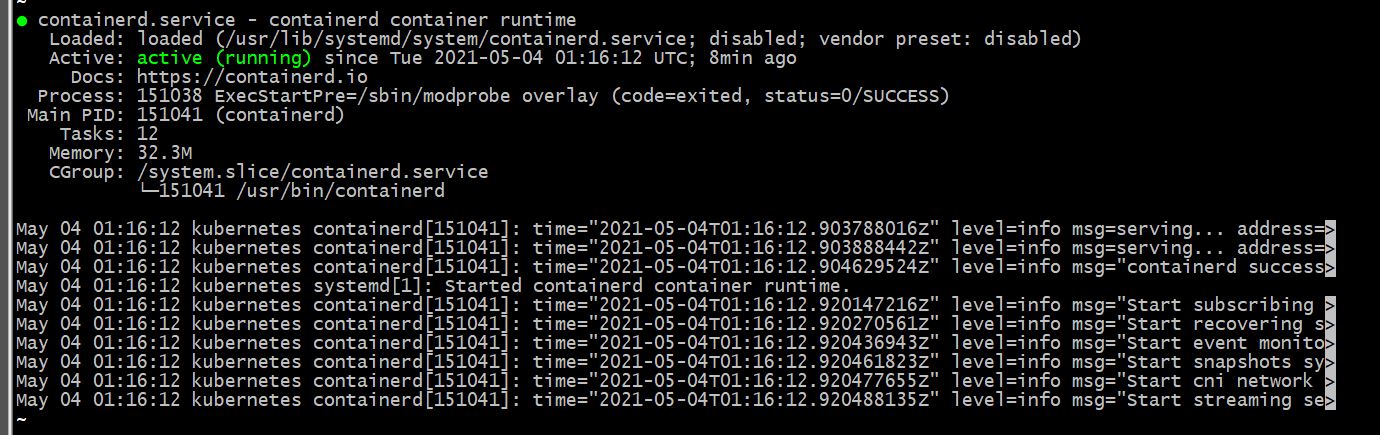
# 확인
systemctl status containerd
2. 관리 패키지 설치 ( kubeadm, kubectl, kubelet )
# 방화벽 포트 설정
# control-plane = 6443, 10250-1252, 2379-2380
# worker = 10250, 30000-32767
ex) firewall-cmd --permanent --add-port=6443/tcp
ex) firewall-cmd --reload 또는 systemctl restart firewalld
ex) firewall-cmd --list-all 또는 firewall-cmd --list-port (확인)
# 쿠버네티스 저장소 설정
cat <<EOF | sudo tee /etc/yum.repos.d/kubernetes.repo
[kubernetes]
name=Kubernetes
baseurl=https://packages.cloud.google.com/yum/repos/kubernetes-el7-\$basearch
enabled=1
gpgcheck=1
repo_gpgcheck=1
gpgkey=https://packages.cloud.google.com/yum/doc/yum-key.gpg https://packages.cloud.google.com/yum/doc/rpm-package-key.gpg
exclude=kubelet kubeadm kubectl
EOF
# SELinux 허용 ( 부팅시 유지 )
setenforce 0
sudo sed -i 's/^SELINUX=enforcing$/SELINUX=permissive/' /etc/selinux/config
ex) sestatus (확인)
# 설치
yum install -y kubelet kubeadm kubectl --disableexcludes=kubernetes
# 활성화 및 부팅시 유지
systemctl enable --now kubelet
기타
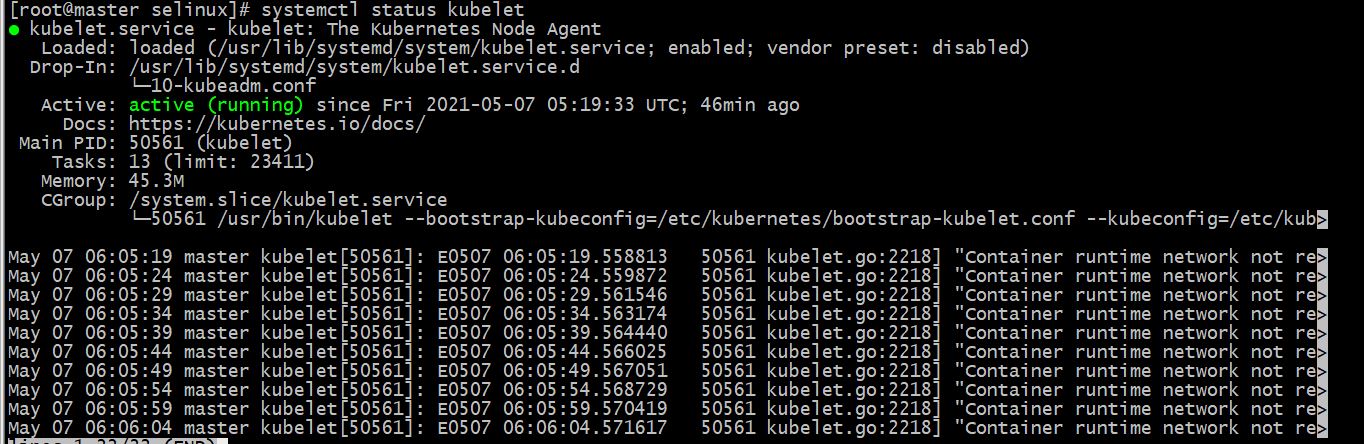
# kubelet경우 마스터머신과 워커머신 상태를 확인 해 보니 워커머신에 설치된 컴포넌트에서 컨네이터가 관리되고 있었다
systemctl status kubelet
'docker & kubernetes' 카테고리의 다른 글
| kubernetes web/was 구성 (0) | 2021.06.29 |
|---|---|
| kubernetes deshboard 외부 접근 (0) | 2021.06.11 |
| 쿠버네티스 인그레스 설정 (0) | 2021.06.04 |
| 쿠버네티스 배포와 노출 (0) | 2021.05.25 |
| 쿠버네티스 설치 및 설정 2부 (0) | 2021.05.11 |


